Acrobat Sign Validation Package from Montrium & Adobe
Many teams spend months figuring out how to validate Adobe Acrobat Sign. Montrium and Adobe built this package to give you a clear starting point, with ready-to-use templates and test scripts to move your compliance work forward.



Inside your Montrium and Acrobat Sign Validation Package

Validation document templates
Personalize each ready-to-use template for your own validation project.

Validation Plan
Regulatory Impact Assessment
System Requirements Specification (Requirements, Functional Specifications, Configuration Specifications)
Validation Test Protocol and Test Scripts
Requirements Traceability Matrix
Validation Summary Report

Executed test records
Montrium executes every test script and provides the results. Use them to guide your own testing, or use the documented results as-is to move faster.

Procedure template
The Work Instruction template can be converted into your own procedures for system use and system administration.

Change impact assessment
For every major release of Adobe Acrobat Sign, the changes introduced by Adobe are assessed to evaluate their potential impact on validation activities performed using the validation package and on compliance with 21 CFR Part 11 requirements. Use this assessment to support your change management process.

Validate Adobe Acrobat Sign yourself, step by step
Every template and test script is built for Adobe Acrobat Sign's Part 11 configuration, so you never start from a blank page. Co-developed directly with Adobe, each template reflects exactly how Acrobat Sign is meant to be configured. Most vendor packs stop at test scripts. This one goes further, giving you the templates, procedures, and executed test records to build a complete, audit-ready validation file.

Start with a structured, tested validation approach

Downloaded by thousands of organizations
Built on a structured validation approach inspired by the GAMP® 5 methodology
Major releases get assessed for validation and compliance impact

Configure your environment with confidence
Lists the configuration settings that make Acrobat Sign 21 CFR Part 11 ready
Follow the recommended settings to configure your own environment

Test with ready-to-use scripts and documented results
Pre-written test cases get you testing faster
Use the executed test records to guide your testing or to reduce your testing burden

Save time and reduce effort
Skip building validation artifacts from the gound up
Available at no cost, saving time and money
Still need help with validation?
Reach out for more information about our validation services.

Get the free Montrium and Adobe Acrobat Sign Validation Package
.webp)
Resources to help you get compliant

Compliance Guidance for 21 CFR Part 11 & Annex 11 (Updated)
Co-authored with Adobe, this white paper maps out validation requirements for electronic signatures in Adobe Acrobat Sign. This is required reading if you work in a GxP environment and need compliant electronic signatures.
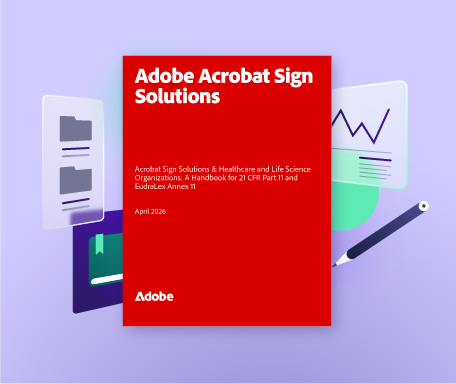
GxP Implementation handbook (Updated)
Built in partnership with Adobe, this handbook walks you through implementing compliant electronic signatures with Adobe Acrobat Sign. From Bio-Pharma Settings and identity authentication to audit trails and governance, it covers what you need to deploy Acrobat Sign in a GxP-regulated environment.
The roadmap to validating Adobe Acrobat Sign for 21 CFR Part 11 (NEW)
A step-by-step guide covering vendor qualification, system configuration, testing, and the procedural controls you need to stay compliant.
Frequently asked questions
Start with our roadmap article, The roadmap to validating Adobe Acrobat Sign for 21 CFR Part 11. It answers most of these questions in more detail. Here are the quick answers: